
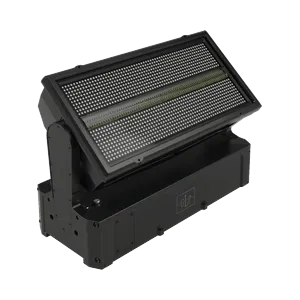
GLP-106810
GLP JDC Burst 1 New DMX
GDTF JDC Burst 1 Neue Software V0.3.4.0 Die Multi-Modi (Mode 3-4-5 und Mode 6-7-8) sind für die zusätzliche Nutzung von RGB(W)-Segmenten in 12-24-48 Abschnitten vorbereitet. Inklusive JDC1 Legacy Mode sPix (9) und sPix PRO (10)
Preis auf Anfrage
Downloads
| Parameter | Wert |
|---|---|
| CRI | 70 |
| Emitter | White / Red / Green / Blue / RGB Red / RGB Green / RGB Blue |
| Gewicht | 14.1 kg |
| Kurzname | JDC Burst 1 New DMX |
| Langname | GLP JDC Burst 1 New DMX |
| Leistung | 700 W |
| Revision | Burst 1 |
| Funktionen | Dimmer / Additive color mixing / Tilt |
| Pan / Tilt | — / 185° |
| Abmessungen | 217 × 338 × 411 mm |
| DMX-Kanäle | 19 / 27 / 37 / 45 / 62 / 68 / 87 / 105 / 135 / 153 / 231 / 249 |
| Fixture-UUID | C9A4C485-7198-481B-9F6C-F794E44FA610 |
| GDTF-Version | 1.2 |
| Abstrahlwinkel | 5–20° |
| Farbtemperatur | 10000 K |
| Betriebstemperatur | 0 to 40 °C |
| Abstrahlcharakteristik | Wash |
| DMX-Modi | Mode 1 Basic RGBW (19ch) | Mode 2 FX RGBW (37ch) | Mode 3-4-5 without Segments RGBW (27ch + SE Patch) | Mode 6-7-8 FX without Segment RGBW (45ch + SE Patch) | Mode 3 12-Segment RGBW (87ch) | Mode 4 24-Segment RGBW (135ch) | Mode 5 48-Segment RGBW (231ch) | DMX Mode 6 FX 12-Segment RGBW (105ch) | DMX Mode 7 FX 24-Segment RGBW (153ch) | DMX Mode 8 FX 48-Segment RGBW (249ch) | Mode 9 Legacy sPix (68ch) | Mode 10 Legacy sPix Pro (62ch) | Mode 1 Basic RGB (19ch) | Mode 2 FX RGB (37ch) | Mode 3-4-5 without Segments RGB (27ch + SE Patch) | Mode 6-7-8 FX without Segment RGB (45ch + SE Patch) | Mode 3 12-Segment RGB (87ch) | Mode 4 24-Segment RGB (135ch) | Mode 5 48-Segment RGB (231ch) | DMX Mode 6 FX 12-Segment RGB (105ch) | DMX Mode 7 FX 24-Segment RGB (153ch) | DMX Mode 8 FX 48-Segment RGB (249ch) |
Daten aktualisiert
🔍
🎯 Alle10791💡 Moving Wash1563🎬 Moving Spot1549🎭 Moving Profile855🔦 Moving Beam132🔆 PAR / Uplight1595🌅 Fluter / Cyc934⬜ Weiß / CCT699🟨 Panel / Softlight206🟠 Fresnel / PC245🎞️ Profil / Ellipsoid251🟦 Pixel Bar1333⚡ Strobe / Blinder469✨ Effekt57🔺 Laser100🌫️ Atmosphärisch261🏗️ Rigging / Steuerung373⭐ SOH Lights169

CHAUVET-148015
WashMoving HeadChauvet ProfessionalLEDRGBWZoomStrobeIP65OutdoorRedGreenBlue
—

CLAY-98187
ProfileMoving HeadClay PakyLEDCMYZoomIrisPrismFrostGoboRotating goboAnimation wheelFramingStrobe
—

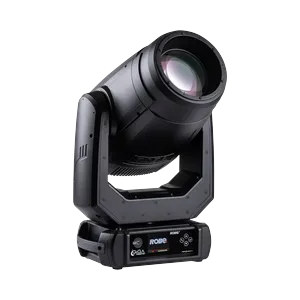
ROBE-143265
ProfileMoving HeadRobe LightingLEDCMYZoomPrismFrostGoboRotating goboAnimation wheelFramingStrobeIP65OutdoorAll on full
—
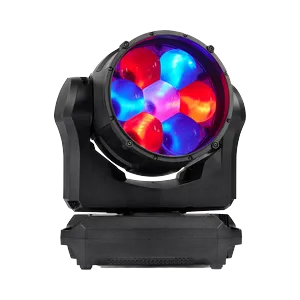
MARTIN-122854
WashMoving HeadMartin ProfessionalLEDRGBWZoomStrobeBeam_Direct_RedBeam_Direct_GreenBeam_Direct_BlueBeam_Direct_White
—

CHAUVET-91066
SpotMoving HeadChauvet ProfessionalLEDCMYZoomPrismFrostGoboRotating goboAnimation wheelStrobeIP65Outdoor
—


CHAUVET-146713
Pixel BarChauvet ProfessionalLEDRGBWZoomStrobeRedGreenBlue
—

ASTERA-62991
FloodAstera LED TechnologyLEDRGBStrobeRedGreenBlueWhite Point
—


ROBE-116612
ProfileMoving HeadRobe LightingLEDCMYZoomIrisPrismFrostGoboRotating goboAnimation wheelFramingStrobe
—

CLAY-116429
ProfileMoving HeadClay PakyDischargeCMYZoomIrisPrismFrostGoboRotating goboAnimation wheelFramingStrobeLamp
—

MARTIN-141216
ProfileMoving HeadMartin ProfessionalLEDCMYZoomIrisPrismFrostGoboRotating goboFramingStrobe
—
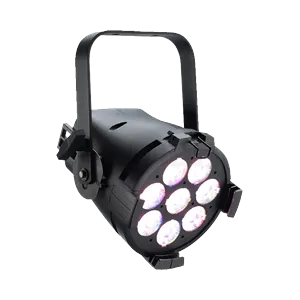

CHAUVET-89292
WashMoving HeadChauvet ProfessionalLEDRGBWZoomStrobeIP65OutdoorRedGreenBlue
—
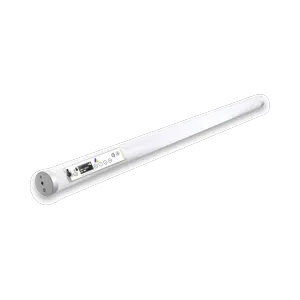
ASTERA-75468
Pixel BarAstera LED TechnologyLEDRGBStrobeBatteryWireless DMXRedGreenBlueWhite Point
—

ELATION-132113
Pixel BarElationLEDRGBWZoomStrobeIP65OutdoorRedGreenBlue
—

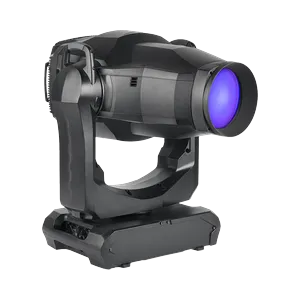
MARTIN-131139
ProfileMoving HeadMartin ProfessionalLEDCMYZoomIrisPrismFrostGoboRotating goboAnimation wheelFramingStrobe
—
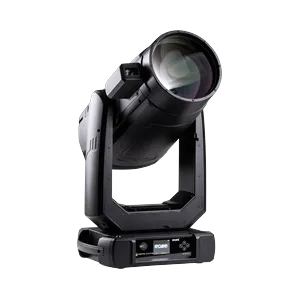
ROBE-150714
ProfileMoving HeadRobe LightingLEDCMYZoomIrisPrismFrostGoboRotating goboFramingStrobe
—

CHAUVET-97408
PARChauvet ProfessionalLEDRGBWZoomStrobeRedGreenBlue
—
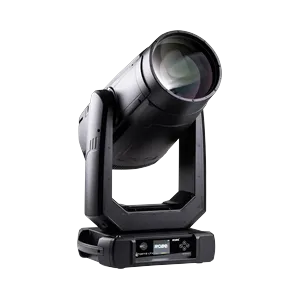
ROBE-150713
ProfileMoving HeadRobe LightingLEDCMYZoomIrisPrismFrostGoboRotating goboFramingStrobe
—

🎨 AI STAGE VISUALIZER
📦 Ausgewählte Technik
Fügen Sie Produkte aus dem Katalog hinzu...
🎭 Szenentyp
✏️ KI-Prompt (bearbeitbar)
Der Prompt wird automatisch aus den ausgewählten Produkten erstellt. Sie können ihn bearbeiten.
🤖 KI-Modell
📐 Ausgabequalität
Auflösung
Seitenverhältnis
🎭
Technik auswählen, Szene wählen
und auf "Generieren" klicken
und auf "Generieren" klicken
🔗 Generierte Dateien
Es gibt noch keine Links zu generierten Dateien.